
Searching for the right x670 flash file to restore your Infinix Note 12 Turbo? You’re in the right place.
Whether your device is stuck in a boot loop, experiencing software glitches, or you simply want to reinstall the original operating system, having access to the correct stock ROM is essential. The Infinix Note 12 Turbo X670 runs on Android 12 with a MediaTek MT6781 processor, and finding compatible firmware versions can be challenging.
We’ve compiled all available Infinix x670 flash file versions, including GL-220420V754, GL-220524V906, GL-220622V1004, GL-220811V1173, GL-220922V1301, GL-221121V1459, GL-221227V1554, GL-230215V1663, GL-230420V1785, and GL-230512V1819.
Consequently, this guide will walk you through downloading and flashing the stock ROM on your device.
Available Firmware Versions for Infinix Note 12 Turbo X670
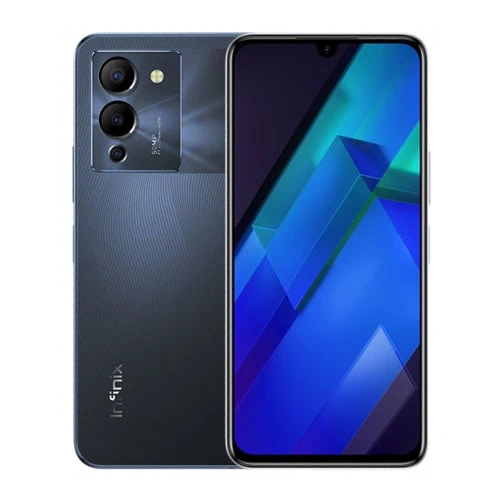
Multiple firmware versions exist for the Infinix Note 12 Turbo X670, each identified by specific build numbers and release dates. The earliest available infinix x670 flash file is V713 from April 2022, with a file size of 4 GB. This was quickly followed by GL-220420V754 at 4 GB, which serves as one of the most stable base versions.
Subsequently, newer builds were released throughout 2022 and 2023. The GL-220524V906 version came with an increased size of 5.10 GB, while GL-220622V1004 maintained a similar 5.11 GB footprint. Later updates include GL-220811V1173, GL-220922V1301 measuring 4.37 GB, and GL-221121V1459 at 4.4 GB.
The GL-221227V1554 firmware reached 5.13 GB, marking one of the larger releases. Moving into 2023, GL-230215V1663 became available at 4.38 GB, followed by GL-230420V1785 at 4.4 GB. The GL-230512V1819 version stands as one of the newest releases at 5.11 GB.
Beyond these global variants, regional firmware exists for specific markets. The Turkish variant X670-H814LH-S-TR-220826V1216 and European version X670-H814GJ-S-EU-221114V208 cater to localized requirements. Additionally, more recent builds extend into 2024, with versions like V496 from December 2023 measuring 5.13 GB.
All versions support the MT6781 chipset and require SP Flash Tool for installation.
Download Stock ROM and Component Files
Firmware packages for the infinix x670 flash file come bundled with all necessary components for installation. When you download any version, you’ll receive the Flash File itself, SP Flash Tool for Windows or Linux, USB drivers, and a step-by-step flashing manual. This complete package eliminates the need to search for individual tools separately.
For advanced users who need specific components, individual files are available for certain firmware builds. Specifically, versions like GL-220420V754 and GL-220524V906 offer standalone downloads of Boot.img, Vbmeta, Scatter.txt, and Preloader.bin. Additionally, system components such as DTB, LK.bin, Logo.bin, MD, Vendor, Spmfw, Tee, Scp, Tranfs, and Sspm can be accessed individually.
The Vbmeta file serves a particular purpose during custom recovery installation or when disabling verification. Boot.img contains the kernel and ramdisk, while Scatter.txt maps partition locations for the flash tool. Preloader.bin initializes hardware during device startup.
Downloading the complete x670 flash file package is recommended for standard flashing procedures. Individual components prove useful when you need to replace a single corrupted partition without reflashing the entire system. Both full ROM packages and component files work with the MT6781 processor architecture.
Need Help? We Are Here for You! 💬
If you have any questions or face any issues while flashing your device, feel free to reach out! We are here to help you every step of the way. 💡
Contact us
Why Choose Dr.Soft Services? 💡
💥 Professional Expertise:
We provide reliable mobile software solutions including firmware, root, FRP, and bootloader services.
💥 Safe & Trusted Methods:
All operations are performed using verified and secure techniques to ensure device stability.
💥 Affordable & Reliable Support:
High-quality technical services at fair prices with consistent and trusted results.
How to Flash Infinix X670 Flash File
Before starting the flashing process, back up all personal data because the procedure will erase everything from your device. Charge your Infinix Note 12 Turbo to at least 60% and power it off completely. Using an original USB cable prevents connection issues during flashing.
Extract the downloaded x670 flash file package on your computer. Inside, you’ll find the firmware file, SP Flash Tool, USB driver, and installation manual. Install the Mediatek USB driver on your computer by opening Device Manager, selecting Add Legacy Hardware, and browsing to the .inf file from the extracted driver folder. Skip this step if drivers are already installed.
Launch SP Flash Tool from the extracted folder. Load the scatter file by clicking the Scatter-loading button and navigating to the firmware folder. Select the scatter.txt file to map all partition locations. Choose either Download or Upgrade mode depending on whether you want a clean installation or update.
Connect your powered-off device to the computer using the USB cable. For BROM mode, press and hold volume up, volume down, or all hardware buttons while connecting. The tool will detect your device and begin the flashing process automatically.
Wait for the operation to complete without disconnecting the cable. A green checkmark will appear on the screen when flashing succeeds. Restart your device once finished.